
iPhone 14 vs iPhone 15: which refurbished model should you choose?
- by George
The iPhone 15 is the model where the standard iPhone caught up with the previous year's Pro: the 14 Pro's chip, its 48 MP camera and its Dynamic Island all arrived on the base 15, along with USB-C. That makes the 14 versus 15 decision a real one rather than a small step, and on the refurbished market the two sit close enough that the choice is worth thinking through.
| iPhone 14 (2022) | iPhone 15 (2023) | |
|---|---|---|
| Screen | 6.1-inch OLED, notch | 6.1-inch OLED, Dynamic Island, roughly double the peak outdoor brightness |
| Chip | A15 Bionic (5-core GPU), 6 GB RAM | A16 Bionic, 6 GB RAM |
| Main camera | 12 MP | 48 MP, 24 MP photos by default, 2x crop mode |
| Ultra-wide and front | 12 MP each, front with autofocus | 12 MP each, front with autofocus |
| Connector | Lightning | USB-C |
| Battery design life | 80% capacity after 500 cycles | 80% capacity after 1,000 cycles |
| Back | Glossy glass | Colour-infused frosted glass |
| Safety | Crash Detection, satellite SOS where available | Same |
| Storage | 128 / 256 / 512 GB | 128 / 256 / 512 GB |
| Weight | 172 g | 171 g |
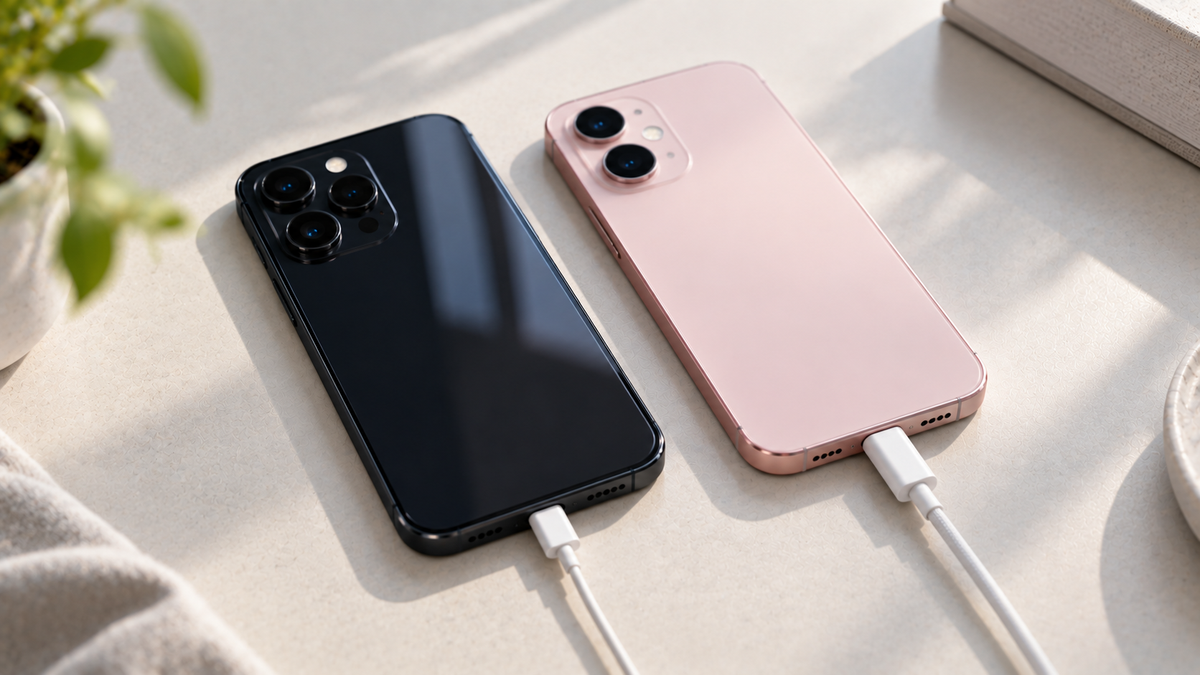
The iPhone 15 charges and transfers data over USB-C, the same connector as iPads, Macs, most laptops and most Android phones. One cable in the bag instead of two is the kind of small thing you notice daily. The iPhone 14 uses Lightning, which is still everywhere and will be for years, but is the older standard. If you already own a lot of Lightning accessories, that counts for the 14; if you are starting fresh, USB-C counts for the 15.
The iPhone 15's 48 MP sensor produces 24 MP photos by default with visibly more detail than the 14's 12 MP, and its 2x mode crops the sensor to give a portrait-length view without a telephoto lens. Low-light photos are also cleaner. The 14 remains a very good camera and in casual use the gap is smaller than the numbers suggest, but if you print, crop or zoom, the 15 is the better camera by a clear margin. Neither has a true telephoto lens; for that see the iPhone 15 Pro or the iPhone 14 Pro.
Both screens are 6.1-inch OLED panels at 60 Hz. The 15 is much brighter outdoors, which makes a difference on a sunny day, and it replaces the notch with the Dynamic Island, the interactive cut-out that shows timers, music and calls. It is a nicer screen; it is not a different class of screen.
Day-to-day battery life is similar. The important difference for a refurbished buyer is design life: the iPhone 15 battery is rated to hold 80% of its capacity after 1,000 charge cycles, twice the 500 of the iPhone 14. For a phone you intend to keep for years, that means a slower decline in the battery health figure.
The A16 chip in the 15 is faster than the 14's A15, though both run current apps without hesitation. The 15 launched a year later and will receive major iOS updates for roughly a year longer; see how long an iPhone gets updates.
Both models are in stock as network-unlocked refurbished phones with a 30-day return window and a 12-month warranty: see the iPhone 14 collection and the iPhone 15 collection, or the full iPhone 14 guide and iPhone 15 guide. If you are also weighing the generation before, read iPhone 13 vs iPhone 14.
Bigger than the 13-to-14 step. USB-C, the 48 MP camera, the Dynamic Island, a brighter screen, the A16 chip and a battery rated for twice the charge cycles. Screen size and weight are otherwise almost identical.
No. The 15 has a slightly different shape with contoured edges and a different camera bump, so cases are not interchangeable.
Yes. The iPhone 14 uses Lightning; the 15 is the first standard iPhone with USB-C.
The iPhone 15, for the extra year of updates, USB-C and the longer battery design life.

"SIM not supported" or "No Service": what to check on a new-to-you iPhone
Four messages, four different causes. Here is what each one means on a new-to-you iPhone, the checks that fix most cases in minutes, and when to get in touch.
Read moreabout "SIM not supported" or "No Service": what to check on a new-to-you iPhone
Refurbished iPhones for a business: buying for a team
Refurbished iPhones suit staff phones well. Here is how to choose one model, handle SIMs, Activation Lock and device management, and order ten or more of the same phone.
Read moreabout Refurbished iPhones for a business: buying for a team
The best iPhone for older parents, and the settings to switch on
A bigger screen helps, but weight matters too. Here is how to choose an iPhone for an older parent, and the safety and accessibility settings to set up before you hand it over.
Read moreabout The best iPhone for older parents, and the settings to switch on
Share:
Which refurbished iPhone should you buy? A model-by-model guide
iPhone battery health explained: what the percentage means and when to replace it